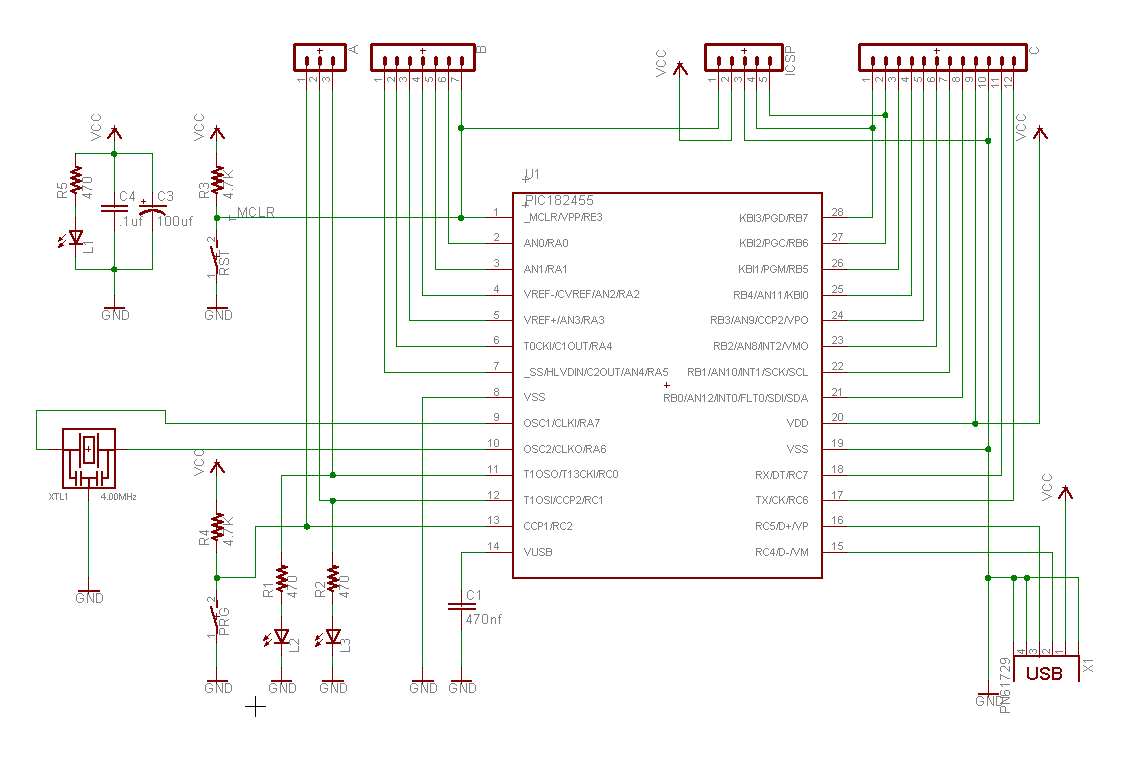
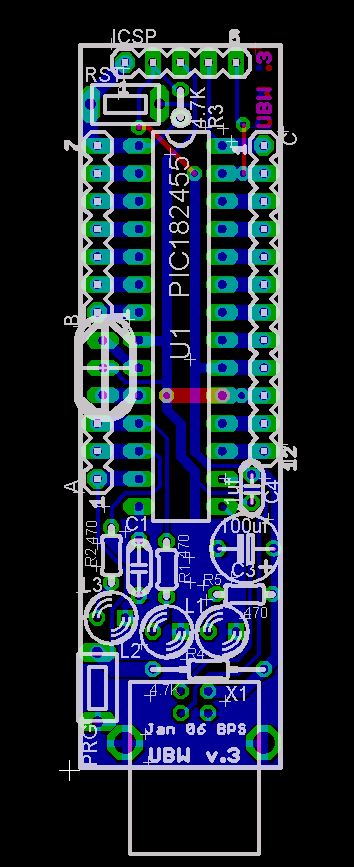
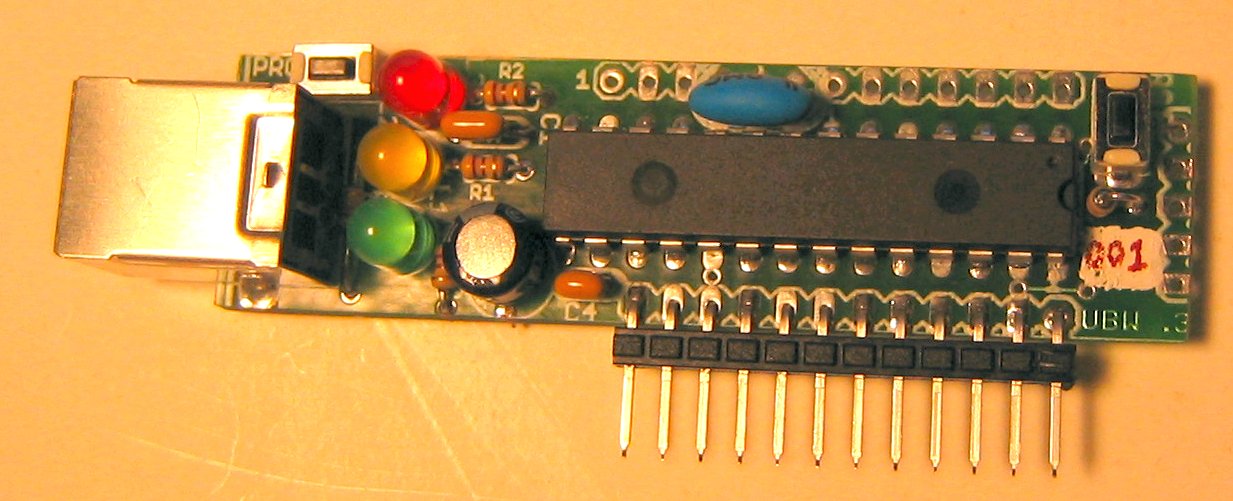
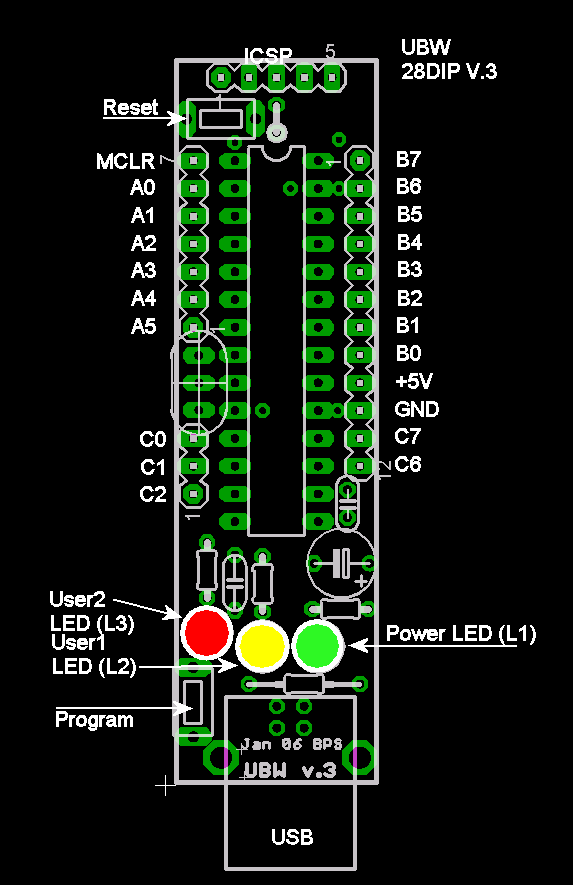
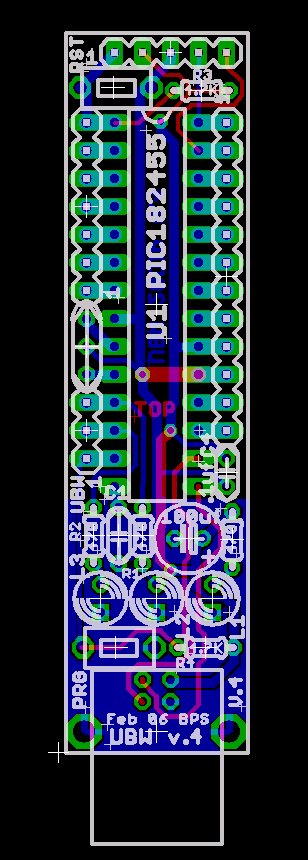
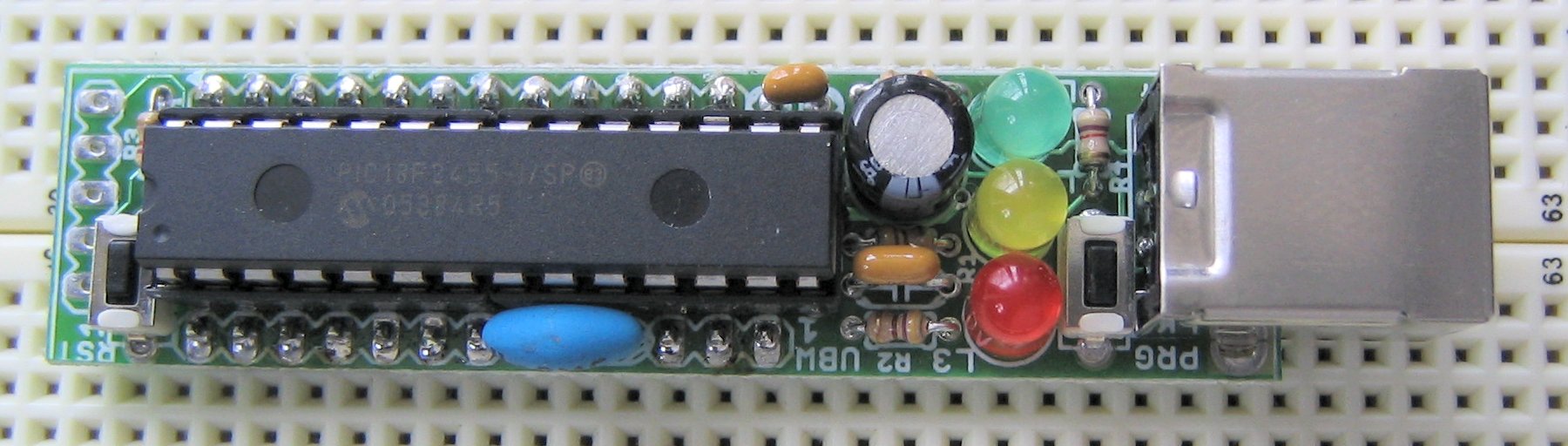
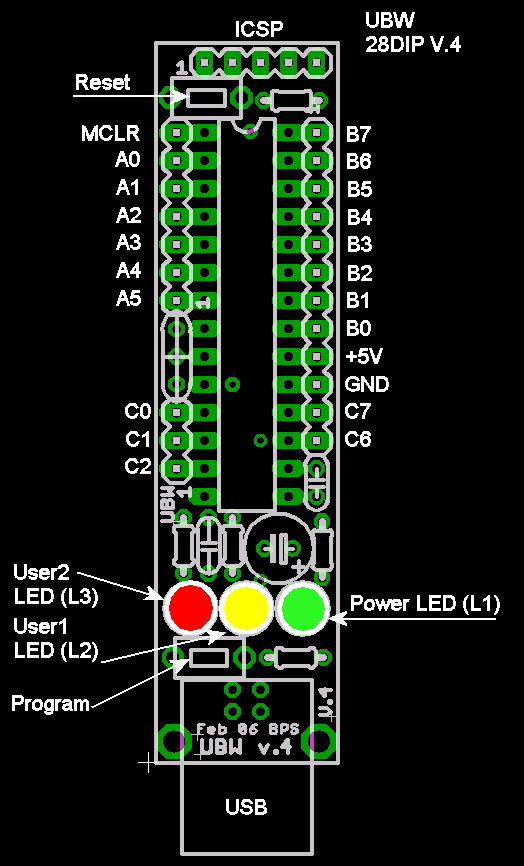
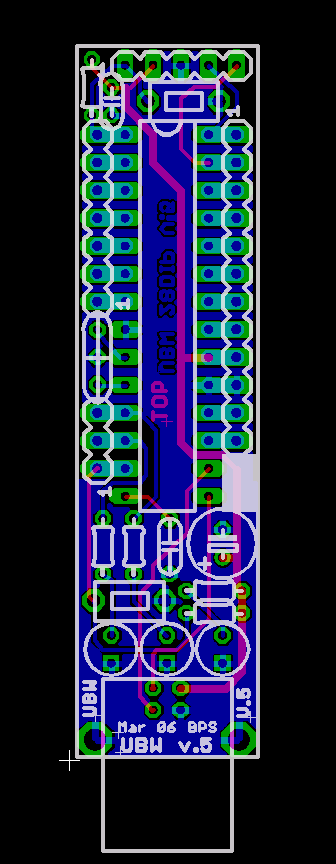
 UBW (USB Bit Whacker)
An inexpensive, simple input/output device to
connect
your computer to the real world.
By: Brian Schmalz
Description:
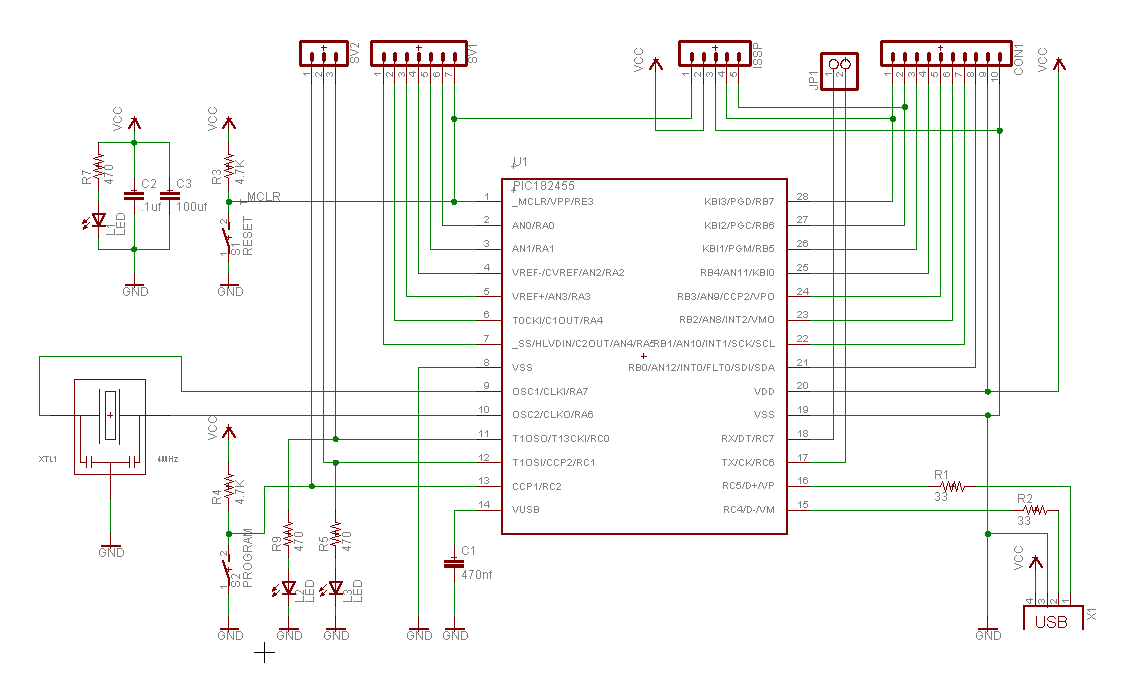
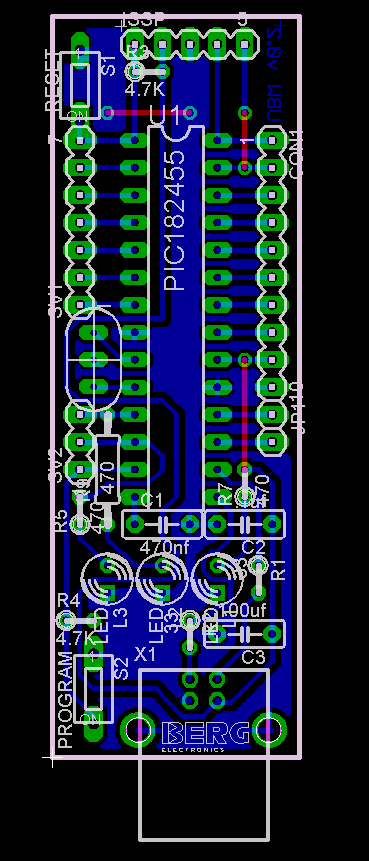
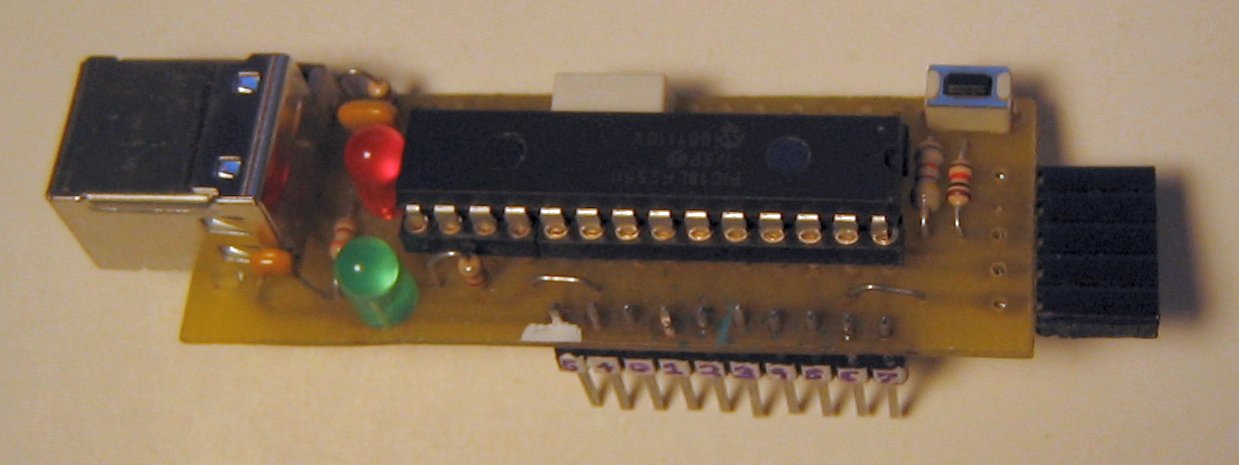
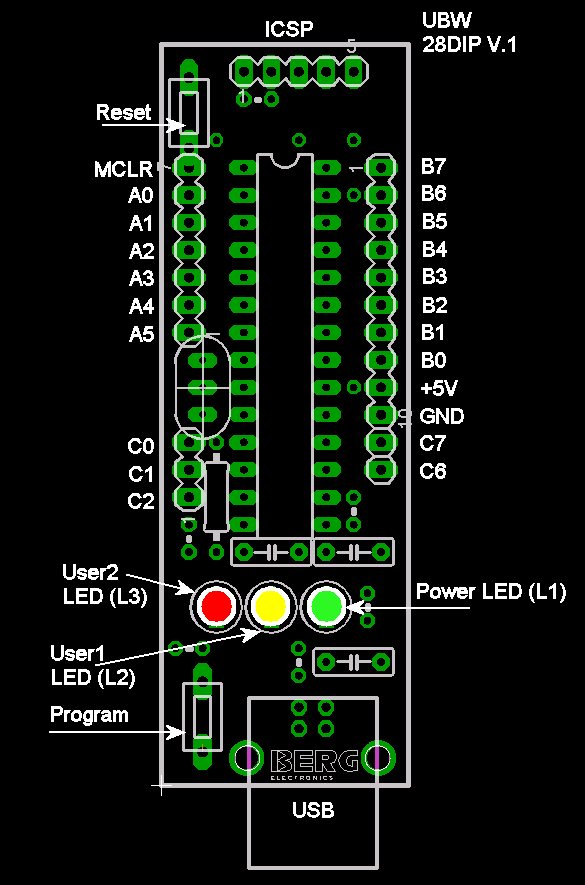
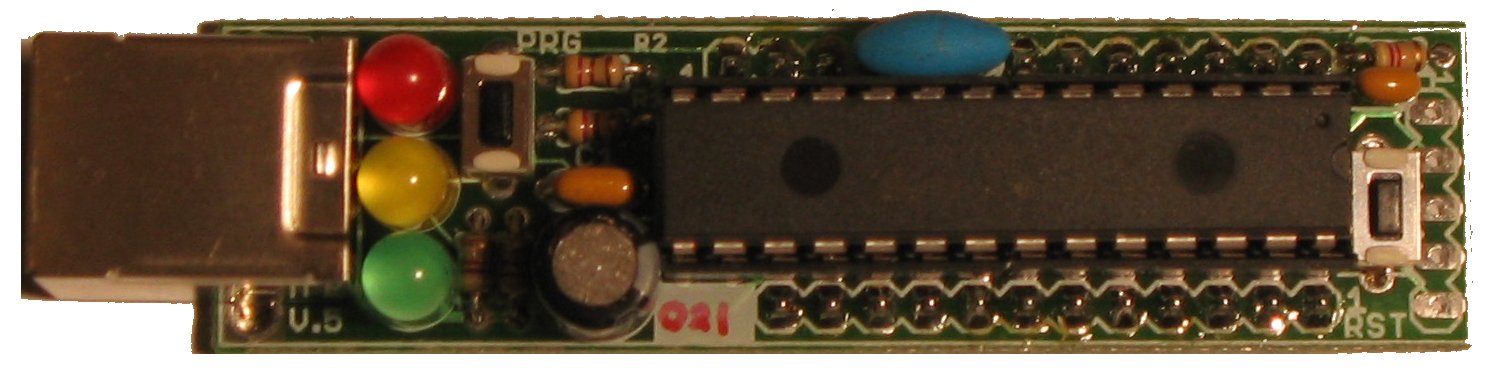
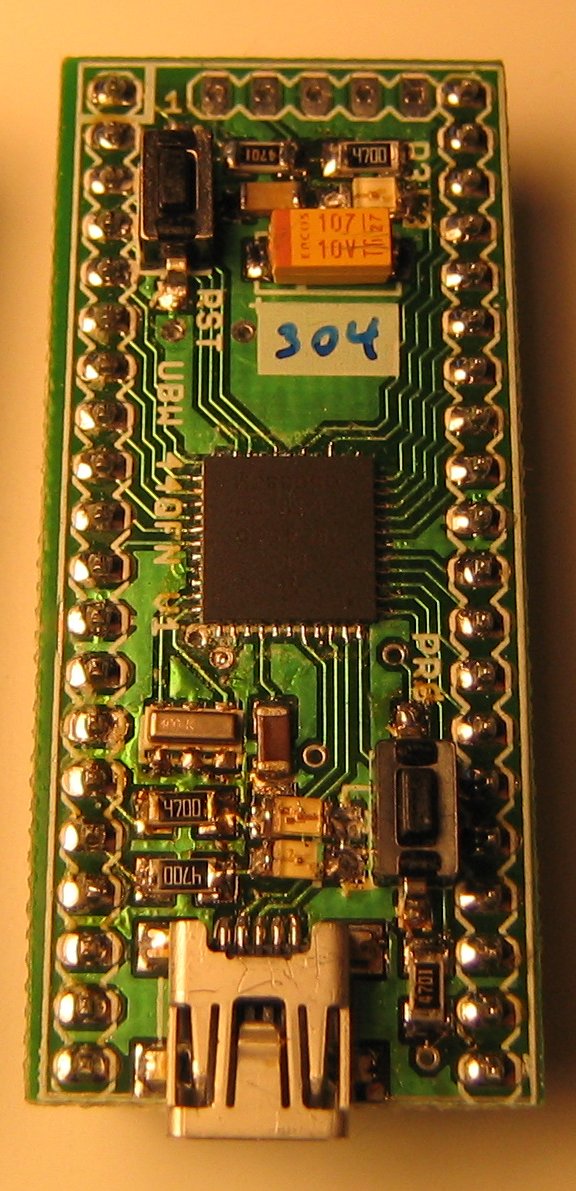
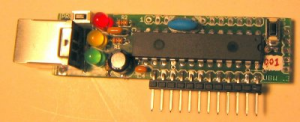
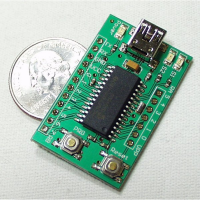
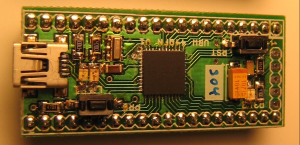
The UBW board
is a small board that contains a Microchip PIC USB-capable
microcontroller,
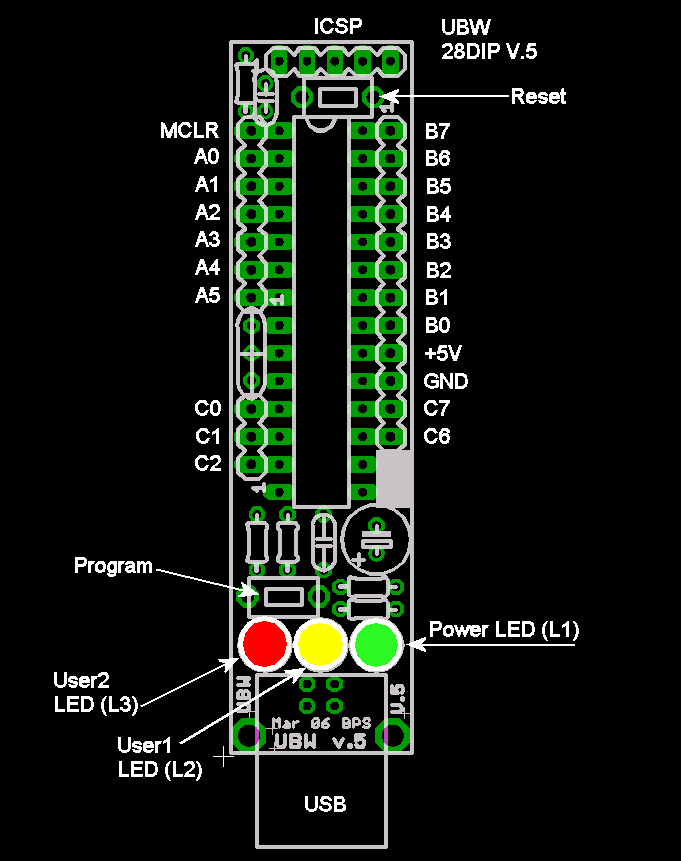
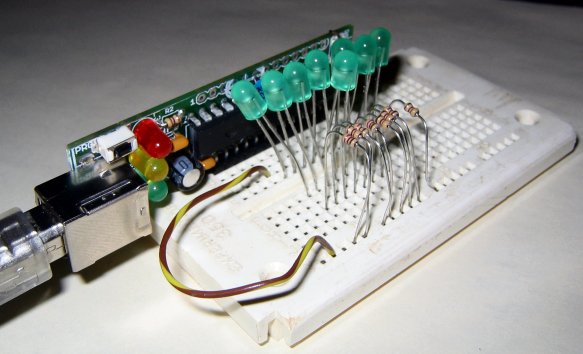
headers to bring out all of the PICs signal lines (to a breadboard
for
example), only costs about $15-$20 to build and is powered from the
USB
connection. I designed this board to be a simple parallel port
replacement tool for Bruce Shapiro
for use in his bits-to-bytes-to-bots
class. Apologies to all other 'Whacker' projects like EDTP's Packet Whacker for stealing
a
great name <grin>. All tools used
to design this project are free, and the design is open to anyone to
use for whatever they wish. Please build your own and improve upon
it!
If you don't want to build your own, you can buy them assembled and
tested from SparkFun in two
varieties - a built
and
tested
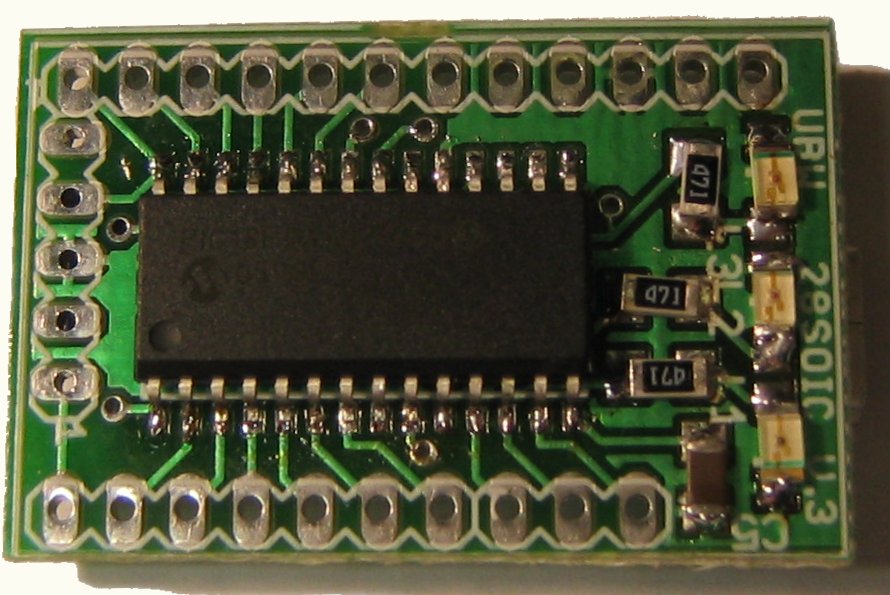
small
surface
mount
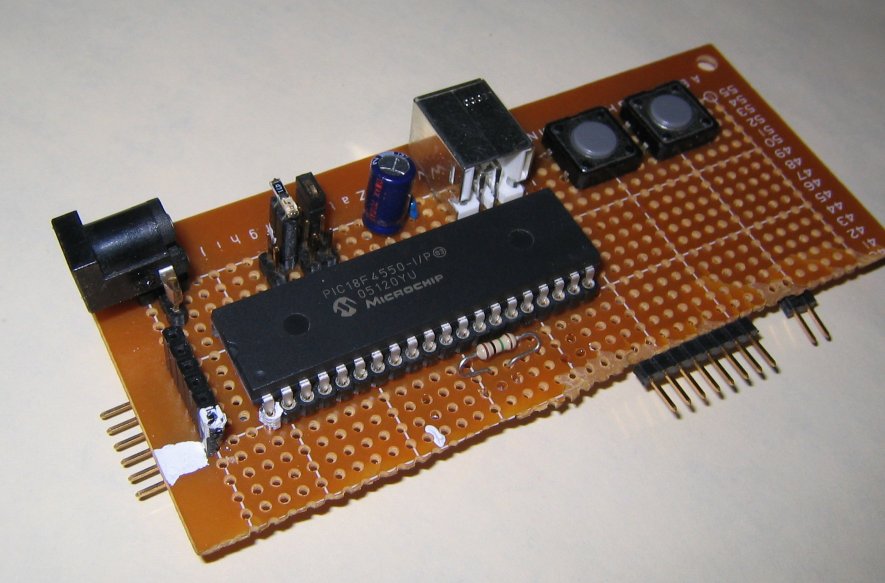
board, or a larger plated
through
hole
kit for $5 less. SparkFun hosts a USB forum
where the UBW is a common discussion topic. If you have a question,
it
may have already been answered there.
Quick Start: Brian,
help! I
just bought (or built) a UBW, but I don't know where to begin.
What
should I do?
OK, it is not hard at all. You need to do the following steps:
(assuming you are on Windows, with 2000, XP, Vista or Win7)
1)
Download the UBW driver and unzip it.
2) Find a USB cable, and
plug
in your UBW to your computer.
3) Windows will scratch its
head for a while and then ask you if you want it to try and find a
driver for you, or if you want to tell it where to look for a
driver.
You need to tell it where to look for the driver. (Note: Vista and
Win7
will quietly fail to find the driver and not give you the chance to
search for one. Go to Devices and Printers from the Start menu and
right click on the unknown device and select Update Drivers.)
4) Point windows to the
mchpcdc.inf file that you just unzipped in step 1.
5) Let it install the INF file. It will complain that the
driver
is not signed - tell it that everything's goign to be fine and to
use
the driver anyway. When it is all done thinking and
installing (and your
UBW's light is slowly flashing), go to the Device Manager (right
click
on My Computer and click Properties->Hardware->Device
Manager),
and look under the Ports (COM & LPT) section, and you should see
a
new serial port there. Note the COM port number.
6) Now open up your favorite
serial emulator (The really awful HyperTerminal that comes with
Windows, or my personal favorite: TeraTerm Web), and open
up
that COM port number you found in the Device Manager. (Make sure to
disable hardware handshaking - use no handshaking at all in fact.)
7) Now type the
command
"V" and press Return. You should get back a version string from your
UBW that tells you what version of firmware it is running, and this
proves that your UBW is working properly! Congratulations. Now go
read
the documentation for the version of firmware you have installed
(see
below) to learn about the commands you can use, or read about how to
install new firmware using the bootloader here.
UBW News:
(09/04/2011) v1.4.9 of UBW Firmware D
released - Added extra paratmer to "F" command, tested with MPLAB
8.76, C18 v3.40 and USB stack v2.9a. Also made it easy to compile
for bootloader-less operation. See new doc below.
(03/20/2011) Updated versions of the HelloWorld
and HelloUSBWorld projects have
been posted - no functionality changes, just built with latest C18
compiler (3.37.01) and USB stack (2.8)
(02/27/2011) New v1.4.8 of UBW
Firmware D
released - only change: Fixed BS command to handle all binary
data
bytes properly.
(02/23/2011) New Bootloader (Firmware B)
project
and HEX files released.
What's new? Updated source code to match current MAL USB (2.8)
example
from Microchip, and made sure to set the boot block write protection
bit. Also set the config bit protection bit. Also created new merged
Bootloader + Firmware D 1.4.7 HEX files. 4MHz, 20MHz and 24MHz
projects.
(02/11/2011) New UBW Firmware D
release
version 1.4.7 - added F (frequency output) command, also fixed
USB
transmit routines so you can't overrun the TX buffer anymore. Also
switched to USB interrupt mode in the USB stack for better
performance,
as well as migrated to latest (v2.8) USB stack from Microchip. Check
out the updated command
reference here, and download the new HEX file here.
(01/11/2011) Updated HID DEMO project
(keyboard) below to work with latest USB stack v2.8.
(10/13/10) Worried about merging HEX files easily and cleanly
(like the bootloader and your favorite firmware) into one HEX file
to
program into UBW using a hardware programmer? Well worry no more-
Microchip has been kind enough to give me permission to
re-distribute
their HEXMATE.exe utility application (from Hi-Tech). I've written
up a
nice little page
about
it.
(09/05/10) Updated INF (driver) files to
use
latest from Microchip
(04/04/10) Several users reported that the PI command did not
match the documentation for UBW Fimrware D v1.4.4. I have now fixed
this bug, and the new version 1.4.5 is posted below.
(03/07/10) Based on questions from the SparkFun Forum, I've
taken the "CDC - Basic Demo" from the latest Microchip Applications
Library (v2010-02-09, with USB Stack 2.6A) and ported it to the UBW.
I
called it HelloUSBWorld. You can find the project here.
Also, I did the same thing to Microchip's HID Keyboard demo. You can
find the UBW version of this project here.
(02/12/10) Weezy, from the SparkFun USB forum, was kind enough
to find a major bug in the "C" command that prevented the 10th
analog
input port (AN12, on pin B0) from operating. I have since corrected
the
mistake and updated the FW D to version 1.4.4.
(12/22/09) I created the simplest Hello
World
firmware - just
blinking the two LEDs on the UBW. If you want an example of how to
start out, check it out!
(08/30/09) Olivier Baumgartner
is looking for firmware folks to help him add UBW support to his Small
Device
Scalable OS. Anyone interested? Contact Olivier - sounds like
a
cool project to me.
(08/06/09) Added new files to Boootloader (FW B) to have
separate workspace and project files for 2553 based bootloader (both
24MHz and 20Mhz versions) See below.
(07/24/09) Added clarification and new HEX files to bootloader
section below.
(01/31/09) I've now edited the nice projects that Alex Lee sent
me so that they are location independent and compile (and work!) for
UBW, UBW32 and Microchip's FSUSB demo board. See below for new set
of
files.
(01/23/09) Alex Lee has ported the Jan Axelson Generic HID demo
to the UBW and UBW32! Here
is
the
zip
file for the project. In order to make it work, you need
to replace ./microchip/Include/USB/usb_function_hid.h
and ./microchip/USB/HID
Device
Driver/usb_function_hid.c as well. Thanks so much Alex.
(09/18/08) Greg Corson has pointed out a serious bug in the "BS"
command in Firmware D 1.4.3. If you send any <CR> or
<LF>
bytes in the binary data section of them command, they get eaten by
the
command processing functions, and don't make it out to the I/O pins!
This will get fixed in a future version.
(05/11/08) Updated Bootloader docs and this page with
references
to Microchip's USB Framework v1.3 (for INF files and drivers) and
updated some FAQ entries.
(04/02/08) The bootloader code posted here didn't compile
correctly (i.e. didn't fit into the boot block) with later versions
of
the C18 compiler. I've now updated the source
code to compile properly with MPLAB 8.02 and C18 v3.12. See this
SparkFun
forum post for more info.
(03/07/08) Russ Hensel is looking for beta testers to help with
a Java
front
end
to
the
UBW. It sure sounds like a great idea to me. I
don't know enough Java to help out, but maybe you do!
(03/07/08) Where is the 1.4.3 FW D source code, zip file, and hex
file? Why, I guess I'd forgotten to put up a link to it. There
are
no changes to the commands
from
1.4.2
to
1.4.3.
(11/02/07) Rick Bronson modified the 1.4.3 FW D source to
compile under the SDCC
compiler.
Here is the source that he
posted
to the SparkFun
Forum. Thanks a ton Rick and Polly!
(10/17/07) Added a
simple digital input/output
tutorial
page.
(7/18/07)
Updated
the UBW PTH
kit assembly instructions slightly. Also, UBW FW D v1.5.0 is
in the
works. If you want a sneak peak at what is being planned, check out
this
document. Nothing is set in stone yet, not all features are
coded,
the document is not complete yet, and I'm not sure when the final
release will be.
(6/22/07) SparkFun now has UBW
through-hole
kits for sale! And they're only $20. Here are the assembly instructions.
(6/21/07) There appears to be a Mac OS X application
for downloading new firmware to the UBW using the Bootloader.
(5/25/07) Added a page with links
to other people's UBW based projects
(5/25/07) New
release 1.4.2 of UBW Firmware D. Fixed RC output bug and
changed
USB connected LED flash rate. Also builds for 40 pin chips.
(4/2/07) Here is
another helpful page on how to get Visa CDC support for USB PICs.
And
at the bottom of this
post from the Microchip USB Forum are instructions on how to
get
the Bootloader to work under Vista.
(2/27/07) With Greg
Allen's help, we now have an INF file that allows the UBW to work
properly under Windows Vista. However, neither Greg nor myself is
able
to get the UBW to work properly in Bootloader mode under Vista. If
you
have any ideas, please let me know. See below for the VistaCDCInf file.
(2/26/07) Microsoft does not currently support CDC under
Vista, so UBW boards will NOT be recognized by computers running
Vista.
If anyone has a solution to this problem (besides writing my own
usbser.sys for Vista) please let me know.
(1/27/07) Added a 'Roadmap'
page
describing
what's
planned
for
future
versions.
(1/27/07) Added new Liberty Basic RC servo demo application.
(1/27/07) Version 1.4.0 of Firmware D is released - RC servo output,
fast strobed parallel output, other good stuff. Hex File, complete source code, project files in one zip file, and documentation.
(8/18/06) Version 1.3.0 of Firmware D is released - mainly a bug
fix for the problem where 1.2 wasn't being recognized by windows. Hex file, complete source, and documentation.
(7/23/06) Something a lot of people have been waiting for -
Analog Inputs (9 of them!). New Firmware D v1.2
supports this and several other nice new features. Check it out!
(7/23/06) Added SparkFun's bootloader HEX file to
files
section below. (Same as mine except for 20MHz rather than 4MHz
resonator.)
(7/17/06) A new release of Firmware C (v 1.0) on the Firmware C documentation
page.
Now
supports
reading
6
input
pins
as
well
as
writing
8
output
pins.
(6/29/06) WOW! The most exciting news in a long time - you can
now buy pre-assembled UBW boards from SparkFun.
I'm
not
affiliated
with
them
other
than
I
am
a
long
time,
very
satisfied
customer.
And
now
they're
going
to
make
and
sell these UBW
boards. How cool is that. They have been kind enough to also set up
a forum for
discussion
of USB products, including the UBW.
(6/28/06) Here's a taste
of
the (very) simple 19 channel logic analyzer application I whipped up
in
Liberty Basic. This is super basic - it has a long way to go before
it
is polished. But it proves that you can use the Firmware D version
to
do something useful. Here's the source
code.
(6/26/06) A small bug exists in FW D v1.1 that prevents the UBW from
receiving data from the PC if it can't send to the PC. A new version
(1.2) will be out shortly that corrects this problem.
(6/4/06) Firmware D
v1.1 is now up and released. Posted pictures of the rest of
the
finished UBW designs (which are all working properly).
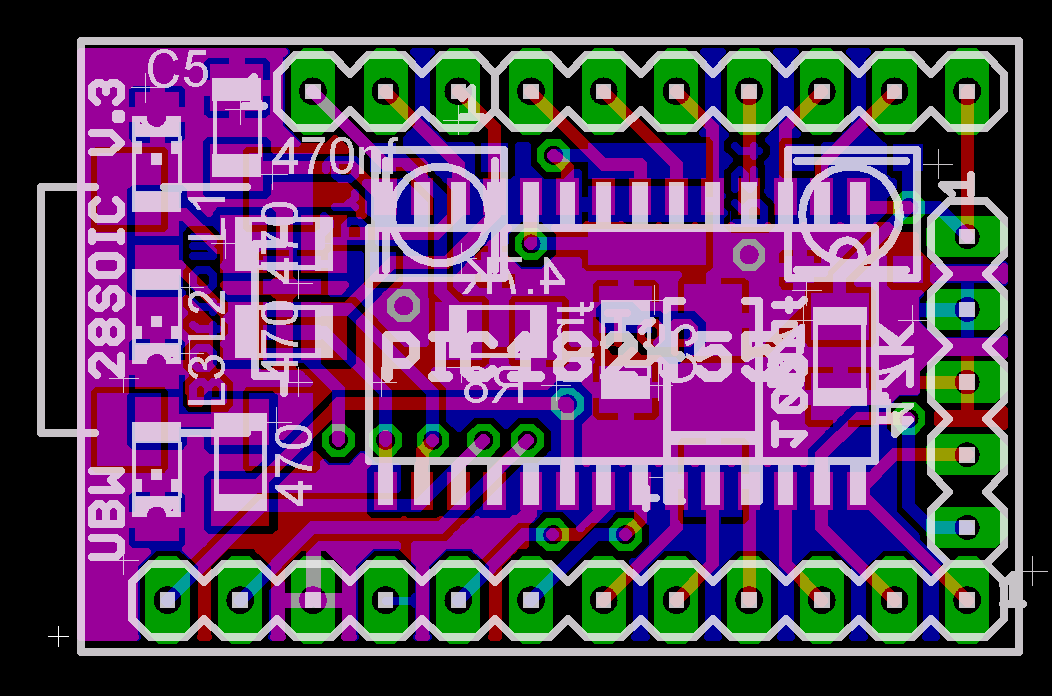
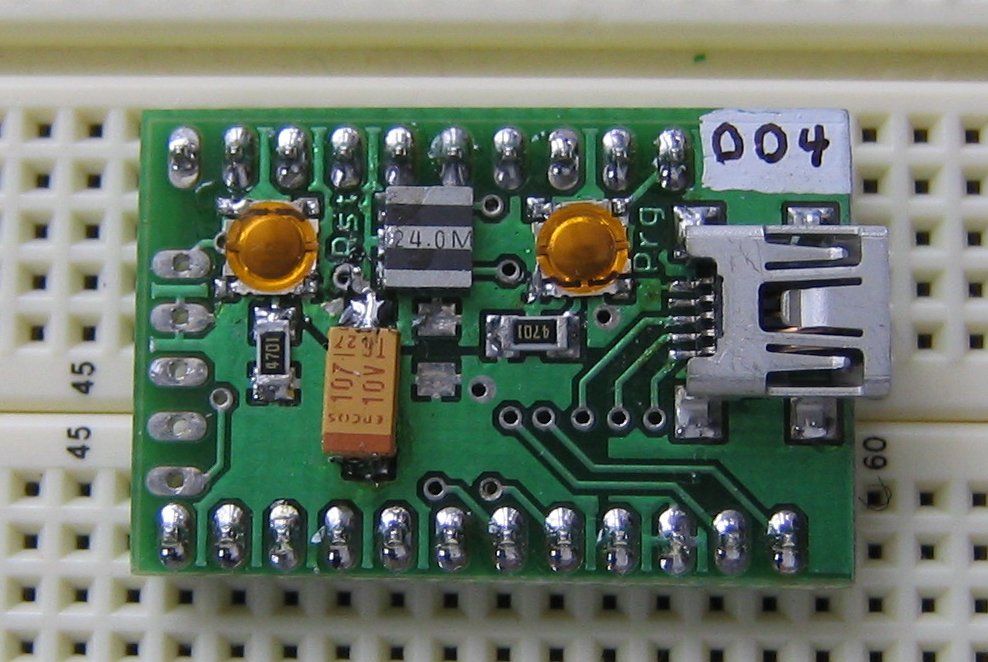
(5/9/06) Firmware D is now up. Got me some 28 DIP
v5 boards running. Soldered down QFN, SOIC and TQFP parts. Pictures
soon.
(3/23/06) Added table with board versions and links to files,
along with new board information (new versions of each of the 4
board
styles).
(3/21/06) Ordered third panel of boards from Olimex. Includes 44
pin TQFP, 44 pin QFN, new 28 pin DIP and 28 pin SOIC boards. I'll
post
all of the design files real soon so you can see all four boards.
(3/13/06) Second batch of boards built. Only one major problem
with 28 DIP v4 - program button is almost impossible to reach!
(3/6/06) Got second batch
of boards from Olimex (16 days) built up first 28SOIC V.3 board - it
works!
(3/1/06) Added Firmware B (bootloader) documentation
(2/28/06) Added new GUI version of Liberty Basic UBW tester
application
(2/21/06) Added more to FAQ and got 28SOIC files up for viewing.
(2/18/06) Sent out order to Olimex for another panel of boards. This
time I will get 11 of the 28DIP V.4 boards and four of the 28SOIC
V.3
boards
on the panel. Last night I re-did quite a bit of the SOIC board to
make
it small enough to fit into the leftover space on the Olimex panel.
(2/16/06) UBW 28DIP
V.3 is done, and 10 are built and all work well. Bootloader (B) is
done. Simple CDC (Serial port emulation) parallel port replacement
application firmware (C) is done. Sample Liberty Basic example is
written.
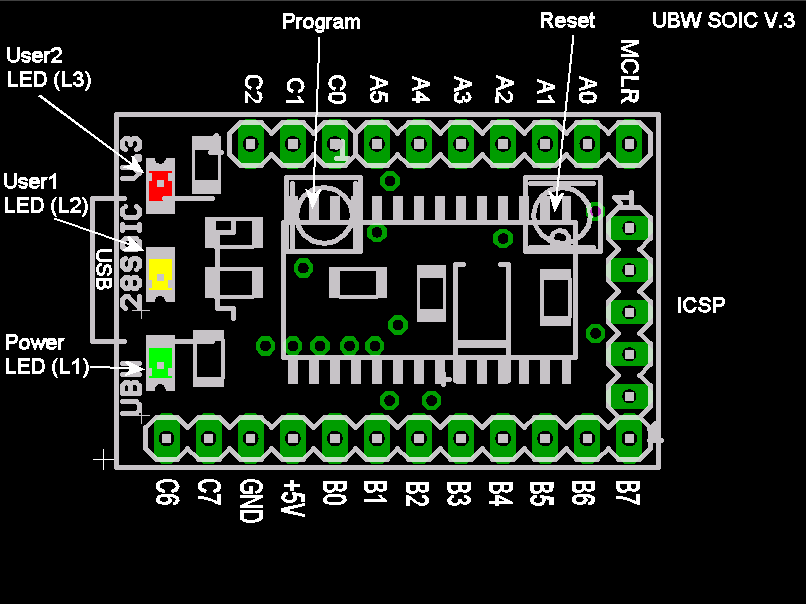
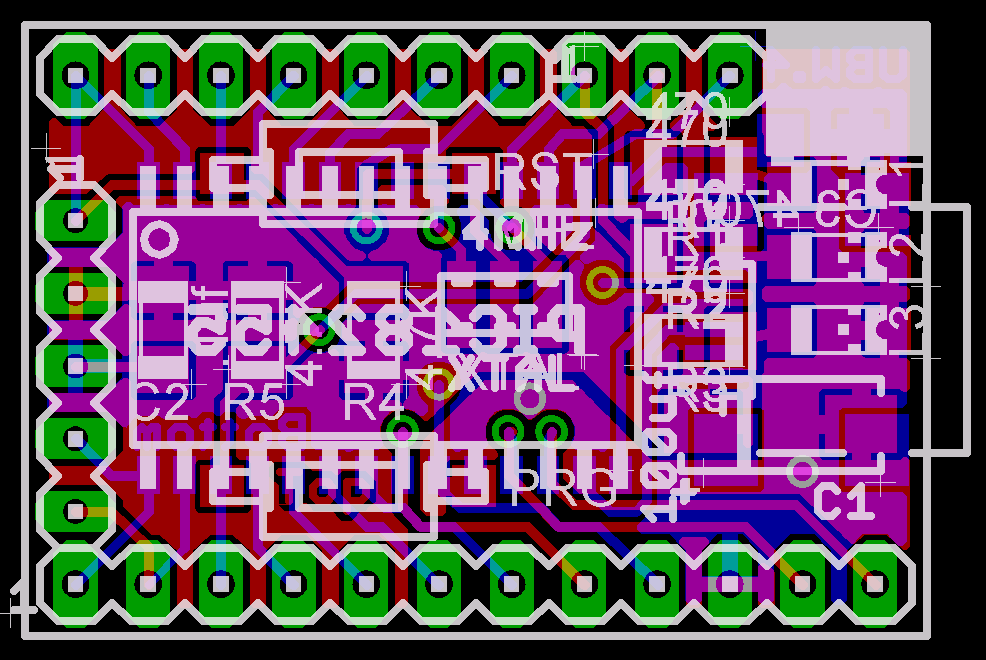
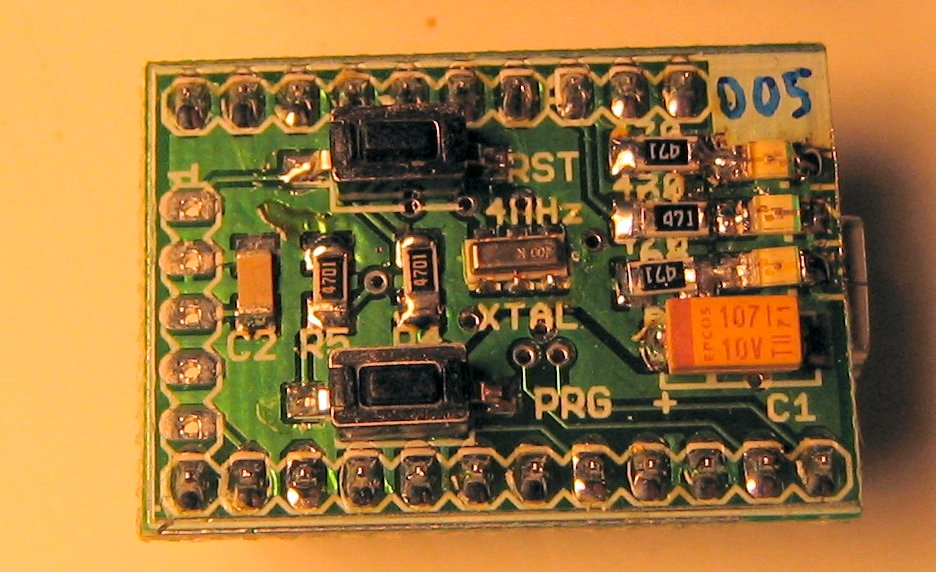
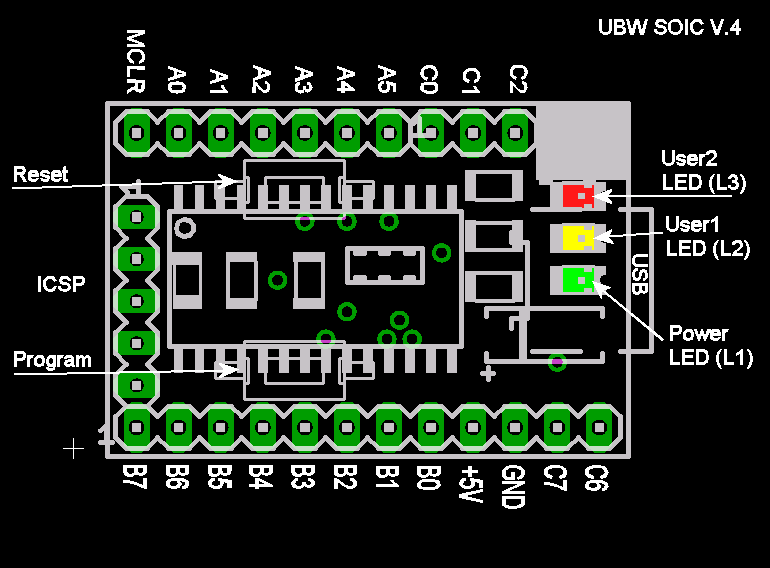
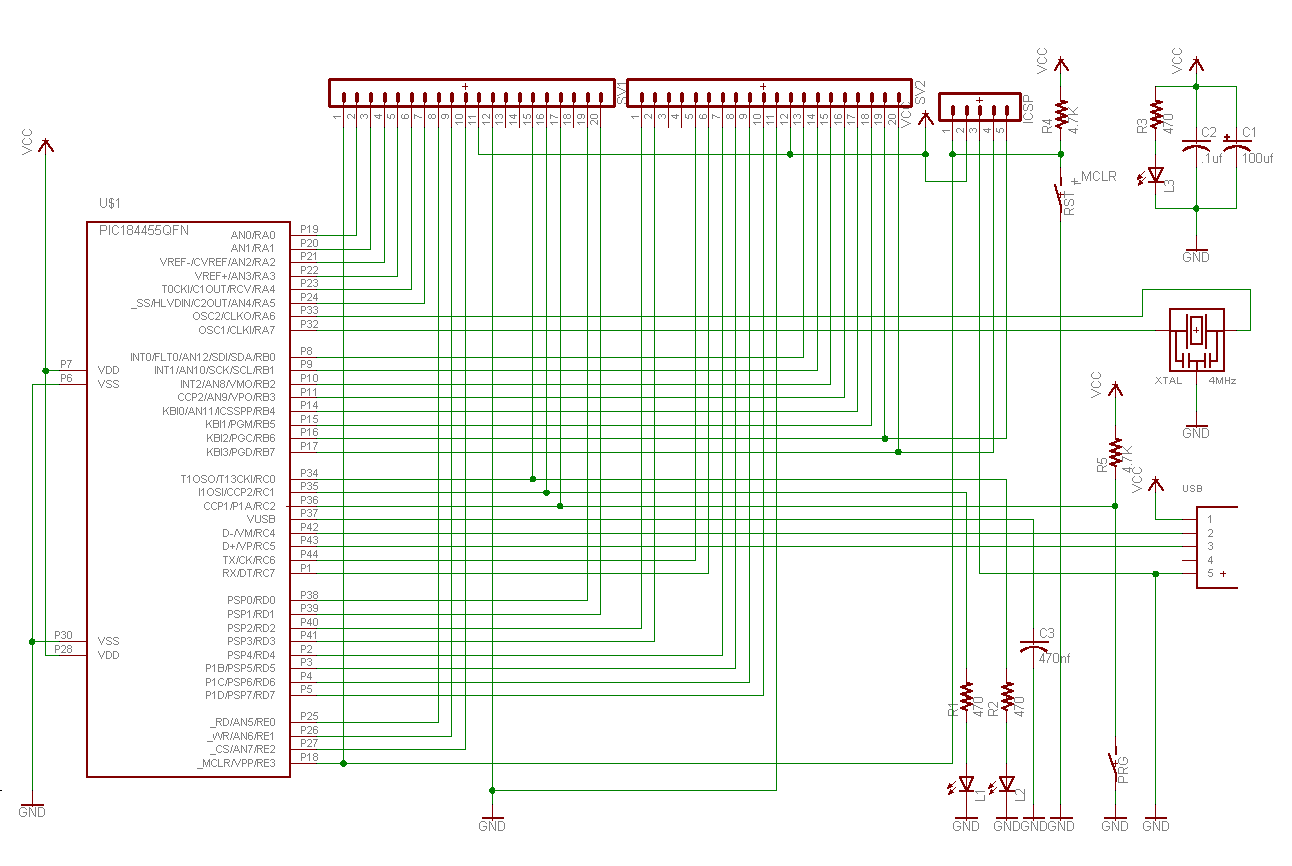
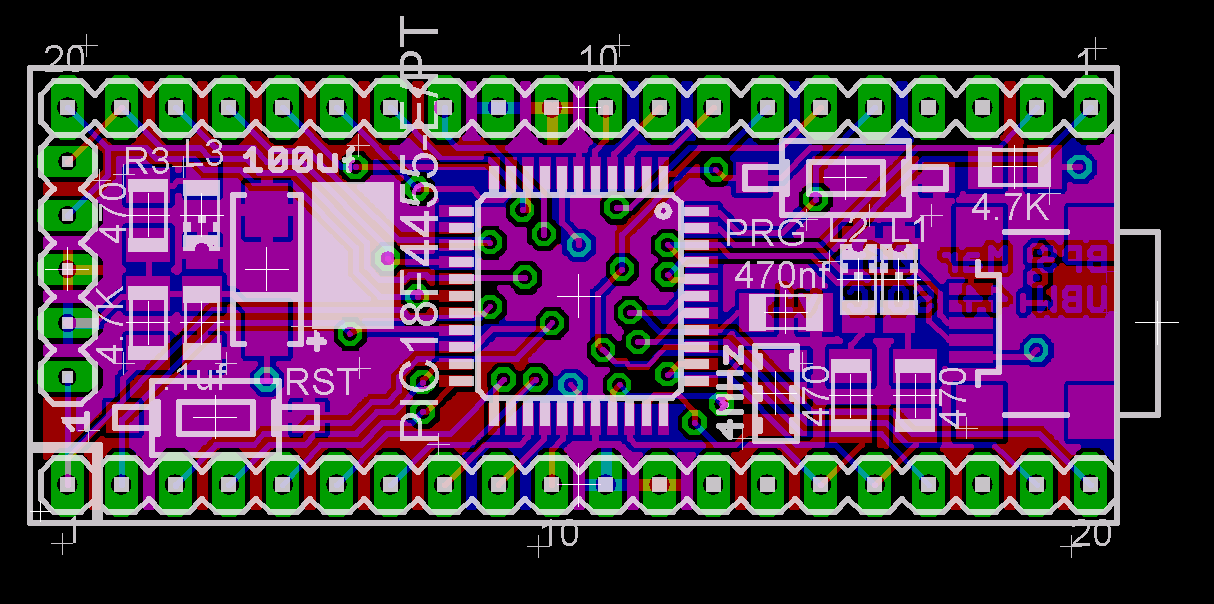
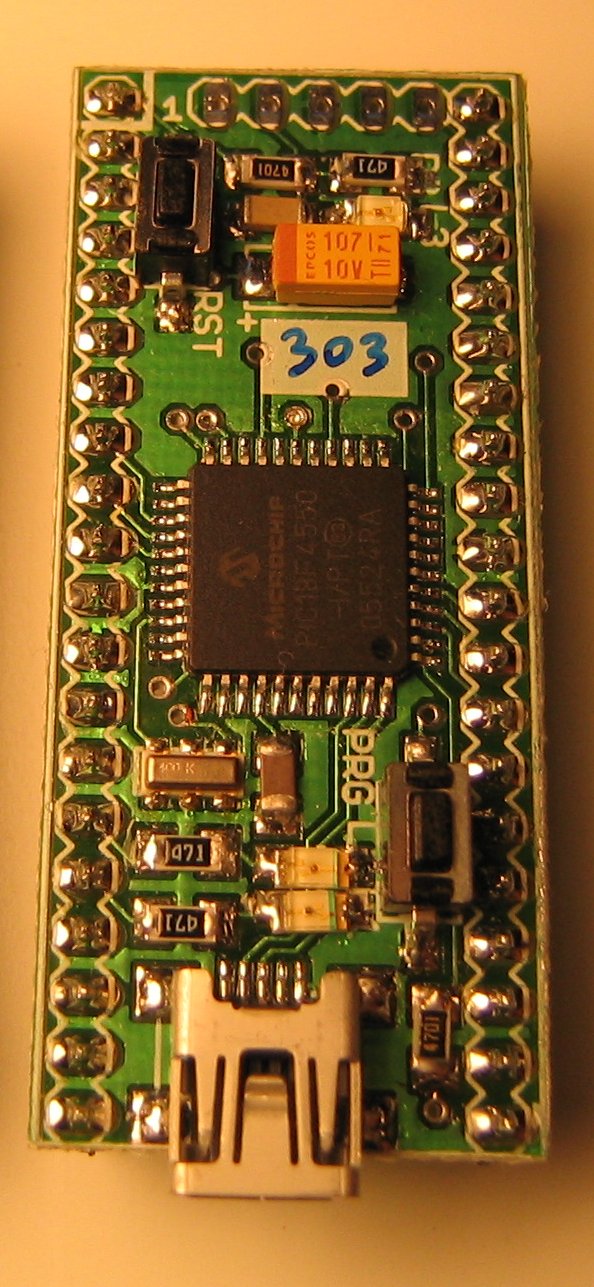
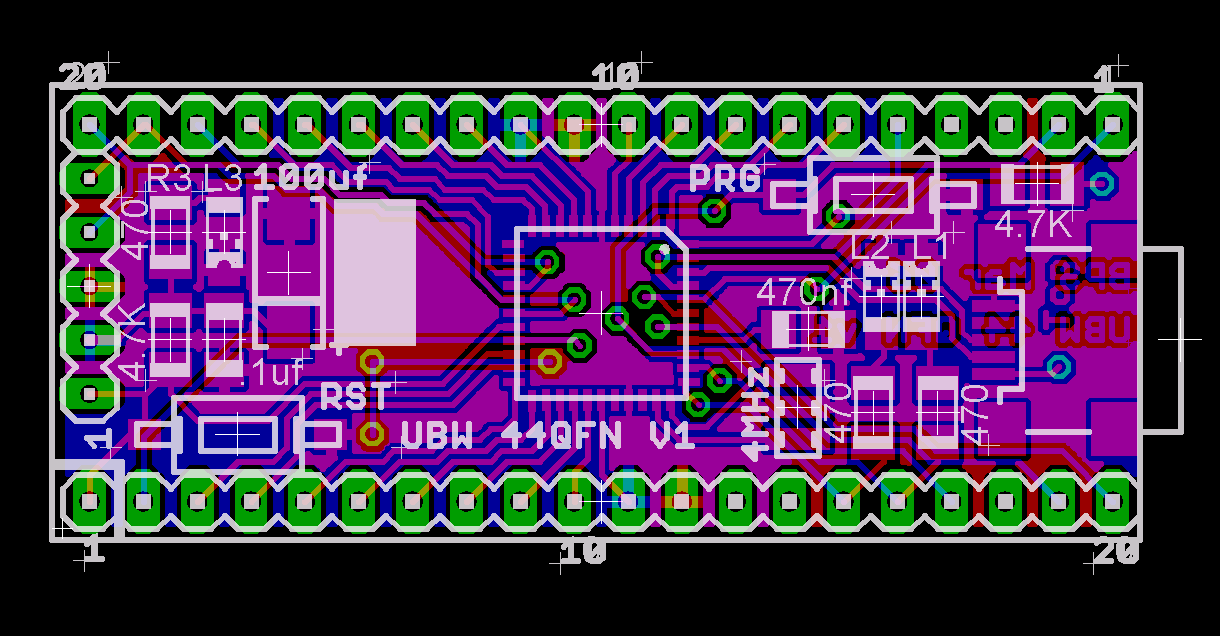
UBW Hardware Versions
Extra Pictures:
UBW Important Files:
Firmware
Versions (Source code and project files -
browsable):
- Firmware C v1.0 (Simple parallel port
replacement (write byte to 8 bit parallel port, read 6 inputs)
via
virtual COM port)
- Firmware D versions
- Firmware D v1.4.3 (HEX, ZIP) (Adds RC servo
outputs and fast latching parallel outputs, among other
things)
- Firmware D v1.4.4 (HEX, ZIP) (Fixes a bug with the "C"
command,
allowing AN12, on pin B0, to operate correctly)
- Firmware D v1.4.5 (HEX, ZIP) (Fixes a bug with the
"PI" command,
now only returns PI,1 or PI,0 as per docs)
- Firmware D v1.4.7 (HEX, ZIP) (Updates to Microchip USB
stack
2.8, adds "F" (frequency out) command)
- Firmware D v1.4.8 (HEX, ZIP) (Fixed BS command so it
can handle
all binary data bytes 0x00 to 0xFF)
- Firmware D v1.4.9 (HEX, ZIP) (Added fourth paramter to
"F" command, tested with MPLAB 8.76, C18 v3.40, USB stack
2.9a)
Firmware contributed by other people:
- Generic HID demo from USB v2.3.1 stack, ported by
Alex Lee (Original files from Alex)
- Generic HID demo from USB v2.3.1 stack, ported by Alex Lee and
modified by Brian Schmalz. This version is location independent
- as
long as the Microchip directory (with the UBW v2.3.1 stack is at
the
same level as the project folder - FW_HID_BPS) then it will work
fine.
There are no hard coded paths in any of the projects. Also I
built and
tested all three targets (UBW, UBW32 and FSUSB demo board) and
they all
work great. I've renamed the projects as well so as to be very
clear
which one is which.
Sample Projects
- HelloWorld
- HelloUSBWorld
- Project is most basic USB enabled firmware you can write
(just
about) for UBW board
- Built with bootloader support for easy downloading to UBW
- Blinks LEDs
- Incriments and sends back each character you type over USB
- Browse Project Directory
- Download Project ZIP file
Bootloader (aka Firmware
B):
Nnote that all HEX files in this
section contain the config bits, and
must be programmed with some type of hardware programmer like the
PICKit2. Also, the boot-block (0x0000 to 0x07FF) is protected in
the
config bits so that you can't accidentally overwrite it while
using the
USB bootloader. The config bits are also protected so that you
can't
change them by way of the bootloader. Also, note that even though
these
projects are all copmiled for the PIC18F2553, all of the HEX files
will
work on
18F2455, 2550, 2553, 4550, etc. parts without modification.
- Microchip
USB
Bootloader
PC
Application (zip): for
downloading new firmware to a UBW - called PDFSUSB.exe, from
Microchip
MAL USB v2.8
- MCHPUSB Driver (zip):
USB
drivers for bootload mode - from Microchip MAL USB v2.8 - all
versions
of Windows
- Bootloader project files (zip):
(Firmware B) Updated on 2/23/11 to use latest (v2.8) USB stack
example
code from Microchip and latest (v3.37.01) C18 compiler
- Bootloader pre-compiled HEX files for programming onto your
UBW
with a hardware programmer (PICKit2, PICKit3, etc.)
- Combined Bootloader + UBW Firmware D HEX files for programming
onto your UBW with a hardware programmer
Demo PC
Applications:
INF Files
(i.e.
'USB driver' files for installing UBW under Windows):
- UBW Driver files : This zip file
contains the files you will need the first time you install a
UBW on a
PC. Works under 2K, XP, Vista and Win7. (Note this is NOT the
driver
for Bootloader mode. See MCHPUSB Driver above for that one.)
Documentation:
Important Links:
- Microchip MPLAB
(Microchip's free IDE for editing, compiling, debugging code)
- Microchip's
USB pages (including information on the USB PICs as well
as App
notes and firmware examples)
- Microchip C18
compiler
(for
building bootloader and firmware - I used student edition which
is free)
- Liberty Basic (for
the
PC
side of things - what an awesome language - I used free version)
- Eagle (for editing the
schematic
and board layouts - I used free version)
- Olimex (where I got some
of
my
boards
made, when I don't make them at home)
- BatchPCB (where to get
higher quality boards made - this is a sister company to
SparkFun)
- Microchip
PIC
18F2455/2550/4455/4550
Datasheet (read and re-read this if you
want to write your own firmware)
- Microchip
USB
Framework This is the whole enchilada from Microchip - all
example code that the UBW was created from (bootloader and CDC
example), documentation, driver files, etc.
Questions? E-mail me at